Game guides · 4 min read
Swish & Dunk is now on Google Play: the basketball manager game arrives on Android
Swish & Dunk, the free online basketball manager game, is now available as an Android app on Google Play. It is the same game you play in the browser, with the same leagues, the same transfer market and the same match engine, and above all with the same account: if you already manage a club, you will find it in the app exactly as you left it. The iOS app is coming soon.
The Android app at a glance
- Price: free, with no premium tier, no ads and nothing to buy.
- Where: on Google Play, under the name Swish & Dunk.
- Requirements: Android 7.0 or later.
- Account: the same as on the web; you sign in with email, Google or Apple.
- Languages: 21, the same as the web version.
- iPhone: the iOS app is coming soon; for now you play in the browser.
How to download it
- Open Swish & Dunk on Google Play from your phone, or search for “Swish & Dunk” in the Play Store.
- Tap Install and wait for the download to finish.
- Open the app and sign in with email, Google or Apple. If you don't have an account yet, you can create one for free in a few seconds.
New managers start like everyone else: you take over one of the unclaimed clubs in Division 10, choose its name, abbreviation and colors, and begin with $500,000, 50 tokens and one consumable of each type. Your first game is played the next day.

Already playing in the browser? Your club comes with you
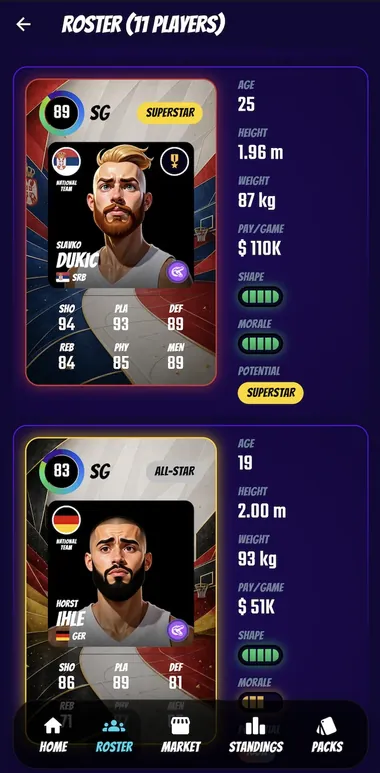
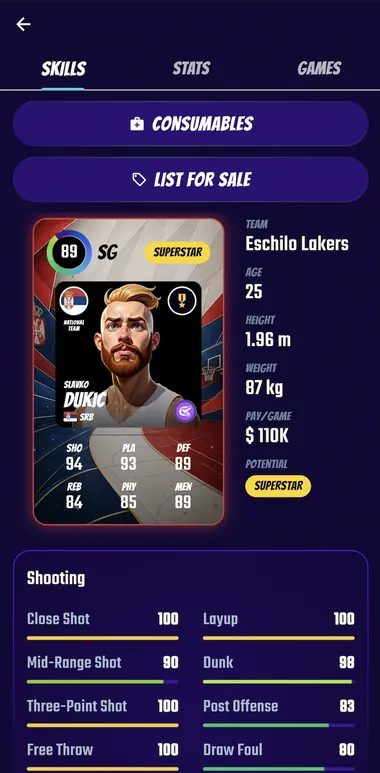
There is nothing to transfer and nothing to start over. Your club, your players, your tokens and your market bids live on your account, not on your device: sign in to the app with the method you use on the web and you are back in your office. You can switch whenever you like, for example setting the lineup from your computer and following the game from the app on your phone.
The only thing to watch is the sign-in method: use the same one as on the web. If you signed up with Google, choose Google in the app too; if you used email and password, enter the same email. This matters most if you signed up with Apple and chose Hide My Email: your account is tied to that hidden address, so sign in with Apple again.
What changes with the app
- It has its own icon among your apps: one tap and you are in the game, without opening the browser and typing the address.
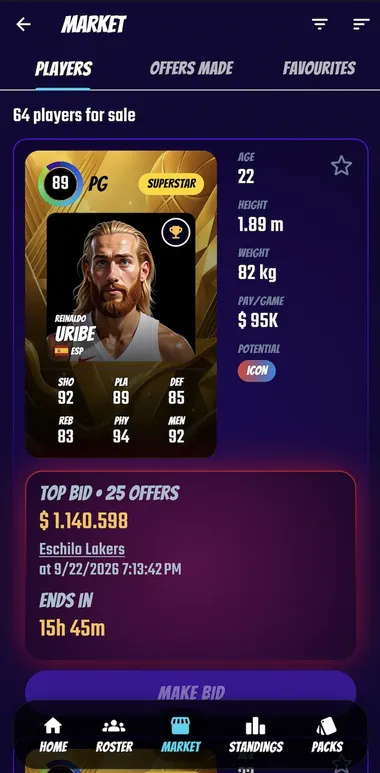
- It runs full screen, without the browser bar, so the court, the cards and the tables get all the space.
- Updates arrive through Google Play, like for any other app.
What stays the same
Everything that matters in the game. The app does not have extra features or advantages over the web version: there is one game, and every manager plays it with the same tools. The same rules apply as always:
- One game a day, simulated possession by possession, with replay, play-by-play and box score.
- Ten divisions with promotion and relegation, the Swish & Dunk Cup and the Nations Cup.
- A transfer market shared with every manager, the draft, training, staff, arena and club finances.
- No pay-to-win: tokens and club money are earned only by playing, in the app as on the web.
If you are new to the game, our complete guide to Swish & Dunk walks through every section, and how the match engine works explains what decides a game.
And on iPhone?
The iOS app is coming soon. Until it reaches the App Store, you can play Swish & Dunk in Safari: open swishdunk.com, tap the share button and choose Add to Home Screen. The game will open from its own icon, full screen, with the same account you use on Android and on the web.
A review helps a lot
Swish & Dunk is developed by one person, and the app has just arrived on the store. If you enjoy it, a rating or a review on Google Play is the most useful thing you can do: it helps other basketball fans find the game, and every comment is read.
Frequently asked questions
Is the Swish & Dunk Android app free?
Yes. The app is free to download and free to play, like the web version: there is no premium tier, no ads and nothing to buy with real money.
Do I need a new account to play on Android?
No. If you already play in the browser, sign in to the app with the same method you use on the web (email, Google or Apple) and you will find your club exactly as you left it. If you are new, you can create a free account directly in the app.
Which Android version do I need?
Android 7.0 or later. The app is available on Google Play under the name Swish & Dunk.
Is there a Swish & Dunk app for iPhone?
Not yet: the iOS app is coming soon. In the meantime you can play in Safari on your iPhone and add the site to your Home Screen to open it like an app, with the same account you use on Android and on the web.
Can I keep playing in the browser?
Yes. The web version stays and is the same game: you can switch between the app, your phone's browser and your computer whenever you want, because your club lives on your account, not on the device.
Looking for other games of the genre? Our ranking of the best basketball manager games compares 14 titles for browser, Android and iOS.
Take over a club today and play your first game tomorrow, on Android or in the browser.

- Free
- No ads
- 21 languages
- Android 7.0+

Last updated: